US Income and Spending
Explore federal finances through dedicated dashboard pages. Each page brings together an interactive visualization that is accompanied by explanatory notes and links to the underlying data and processing documentation.
Data Methodology
AccountableGuv uses Monthly Treasury Statement (MTS) Table 4 for net income and Table 5 for net spending.
Table 4 reports receipts, refunds, and net receipts, which this site calls net income.
Table 5 reports gross outlays, applicable receipts that offset spending, and net outlays, which this site calls net spending. These tables provide the source, agency, and program detail needed to explore the totals.
Table 1 provides a separate summary of receipts, outlays, and the deficit or surplus.
In the years compared for this site's analysis, the sums from Tables 4 and 5 match Table 1 in most years. In the years where they differ, the differences are less than 0.05% of the corresponding Table 1 total. At that scale, the differences do not change the broad trends or directional conclusions drawn from the data.
In general, the Table 4 and Table 5 totals align closely with Table 1, demonstrating the consistency of the data across these sources. In the interest of transparency and clarity, I am showing the values from all three tables and displaying the magnitude of differences when they occur (often times there are no discrepancies). As you can see, the differences are are a fraction of a fraction of a percent and don't materially change the conclusions drawn from the data. I also use this as a way to validate that my processing of different data sources is accurate and that the data is consistent across the different tables.
Table 1 Reconciliation
Table 1 Summary and Reconciliation
Open in Tableau PublicNotes
Precision and monthly insight
Using the annual Combined Statement tables could improve precision, though it would not provide absolute precision. This site has chosen to retain Tables 4 and 5 because the small differences observed do not change the conclusions, and the monthly data supports a more detailed view of trends over time.
The Combined Statement is produced annually. The MTS is published monthly, allowing analysis of changes within a fiscal year, down to individual months. That frequency helps show when income and spending change, beyond what an annual total alone can reveal. In addition, users are able to compare current fiscal year data with prior year by filtering out to the processed months.
In general, the Table 4 and Table 5 totals align closely with Table 1, demonstrating the consistency of the data across these sources. In the interest of transparency and clarity, I am showing the values from all three tables and displaying the magnitude of differences when they occur (often times there are no discrepancies). As you can see, the differences are are a fraction of a fraction of a percent and don't materially change the conclusions drawn from the data.
Table 1 values align with the sums from Table 4 (net receipts) and Table 5 (net spending) in most cases, but not always. The Reconciliation table shows when the values differ and by how much.
The differences observed in this project's comparisons are infrequent and marginal. They should not be a concern for the broad trends and comparisons presented here; the reconciliation makes them visible for transparency.
Source references: Table 1 summary, Table 4 receipts, and Table 5 spending.
Fiscal Year
The fiscal year is the 12-month period used by the federal government for accounting and budgeting purposes. It runs from October 1 of one year to September 30 of the next year. For example, fiscal year 2023 (FY2023) started on October 1, 2022, and ended on September 30, 2023. The fiscal year is often abbreviated as "FY" followed by the year number.
Filtering Within the Dashboards
Within the dashboards, you can filter the data by fiscal year and month. The default view shows all available fiscal years and months. You can select a specific fiscal year to see the data for that year, or select a specific month to see the data for that month across all available fiscal years. You can also select multiple fiscal years or months to compare the data across those selections.
When comparing the current fiscal years to previous ones, be sure to filter by the same months to ensure accurate comparisons. For example, if we are only have data through July of the current fiscal year, then you should uncheck August and September. This will ensure that you are comparing values against the same months in prior fiscal years.
Dashboards
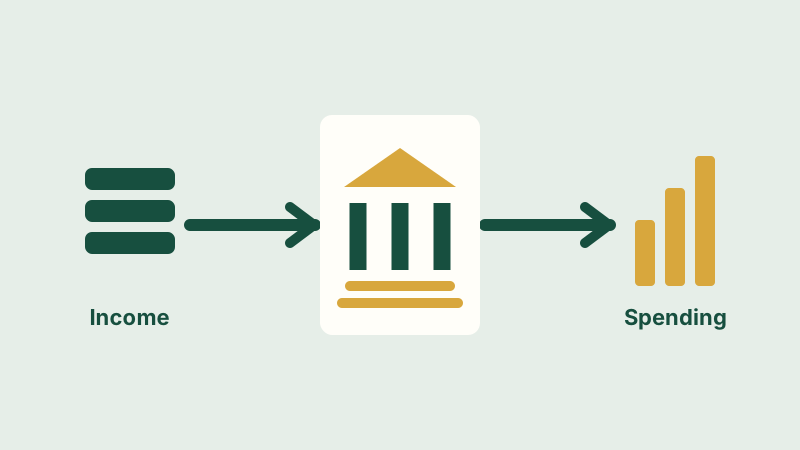
US Net Income
Compare federal net receipts across fiscal years using MTS Table 4. Explore the dashboard, reading notes, and source documentation.
US Spending
Compare federal spending across fiscal years using MTS Table 5. Explore the dashboard, reading notes, and source documentation.
US Deficit
Explore the gap between federal spending and net receipts using MTS Tables 4 and 5, with notes and source documentation.